Received a PPAD file? Click here to open the file

Encrypt, track, and revoke emails and files inside Gmail, Google Drive, or your own platform, protecting sensitive content from unauthorized people and AI tools, with simple access for recipients.
PPAD is a modern, low-friction DRM (Digital Rights Management) solution. Protection travels with the file itself, so you stay in control after it’s sent, forwarded, or downloaded. No matter where it ends up.
Update permissions, set expiry, or revoke access at any time, even after the file has been downloaded to someone’s laptop.
See who opened your files, when, and how much time they spent on each section. Know exactly what happened after you hit send.
Encryption, copy-paste blocking, watermarking, and screenshot deterrence keep sensitive content away from unauthorized users and AI tools, even after files are downloaded.
PPAD works in different ways depending on how your team shares sensitive information.
For teams that share sensitive information through Google Workspace and need control, compliance, and audit visibility without leaving familiar tools.
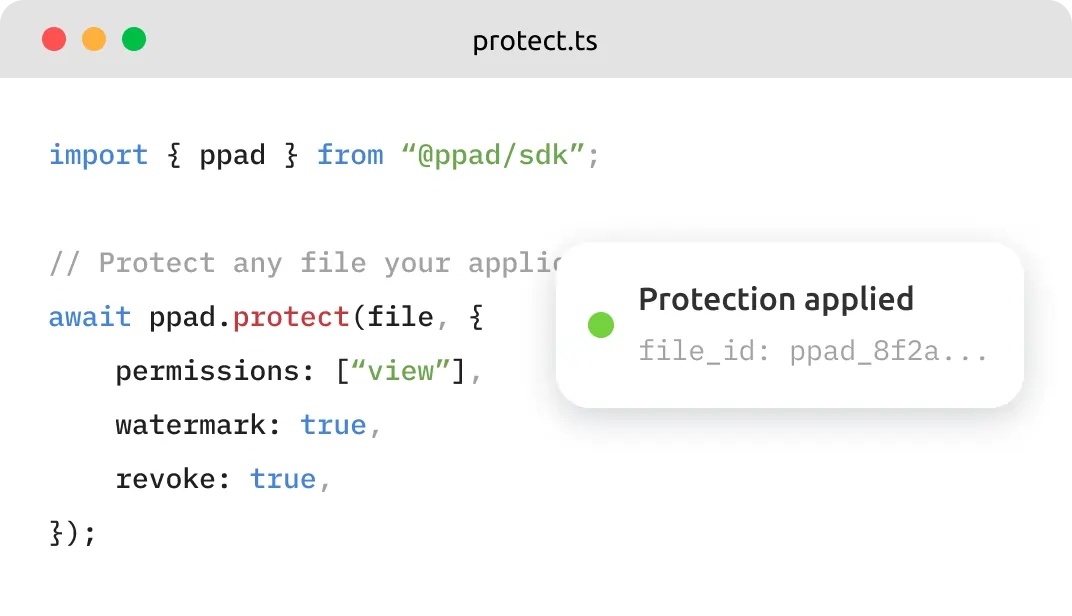
For developers, SaaS platforms, and portal builders that need persistent file protection, revocation, and tracking built into their existing architecture.
Microsoft 365 (Outlook and SharePoint) support coming soon. Register your interest.
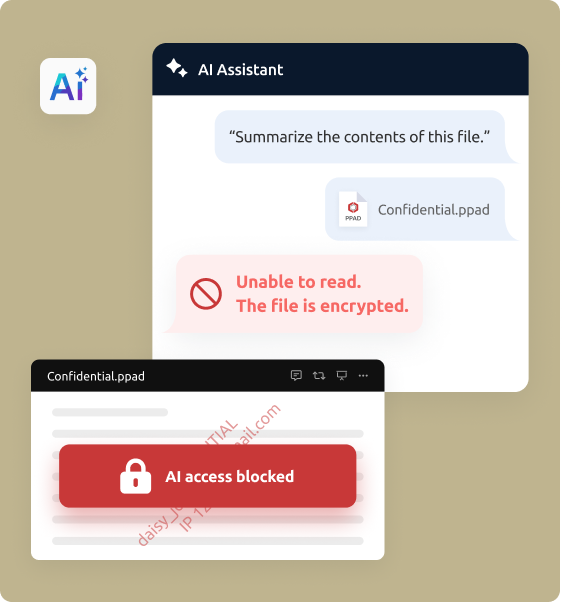
Once a file is downloaded or forwarded, there's nothing stopping a recipient from feeding it into an AI tool. PPAD makes that significantly harder.
Encrypted files are unreadable to AI. Protected files can't be indexed or ingested by AI systems without authorization.
Copy-paste extraction blocked. Recipients can't lift text from protected files into AI prompts.
Screenshots made harder. ScreenShield limits how much content is visible at once and blocks screen capture attempts.
Three steps. No new platform. Simple access for recipients.
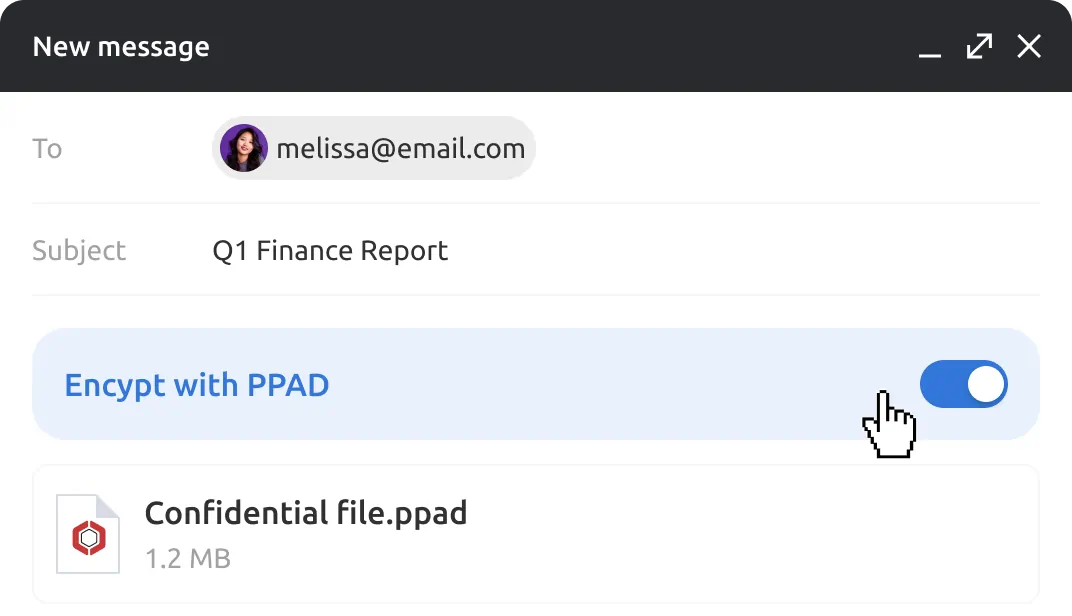
Encrypt emails and attachments in Gmail with a single toggle. Right-click to convert files in Google Drive. Or use the API to protect files programmatically inside your own product.
Recipients access protected content securely. No desktop software required, no complicated logins. Simple access for the people you share with.
Track who opened what and when. Update permissions. Apply watermarks. Revoke access at any time, even after the file has been downloaded and saved on someone else’s device.
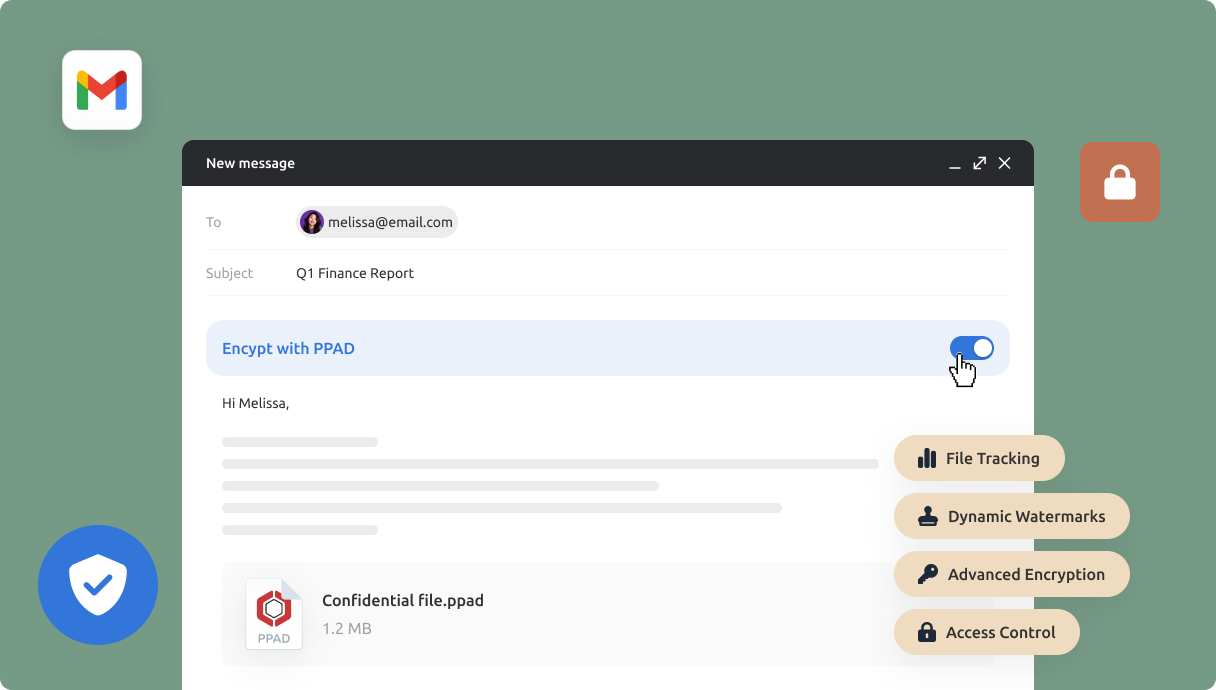
Traditional DRM protects files, but makes recipients jump through hoops to open them. PPAD gives you the same level of control without the friction.
| CAPABILITY | TRADITIONAL DRM | PPAD |
|---|---|---|
| Recipient setup | ✕ Must install agents or desktop software | ✓ No desktop software required |
| Access for recipients | ✕ Complicated logins and viewers | ✓ Simple access in the browser |
| Control after download | ✕ Limited once the file leaves | ✓ Revoke and update access anytime |
| Visibility after sending | ✕ Little to no tracking | ✓ Page-by-page open and view tracking |
| Works where you already work | ✕ Separate platform to learn | ✓ Inside Gmail, Drive, or your own API |
PPAD is a product by Digify, which has helped teams share sensitive information securely since 2011. The same ISO 27001-certified practices, security rigour, and trust that Digify customers rely on are built into every part of PPAD, with patent-pending encryption technology designed specifically for persistent file protection.
800k+
Users on Digify
138+
Countries
2011
Founded

Persistent Protection After Download (PPAD) is a modern approach to Digital Rights Management that helps you keep control over files after they are downloaded. PPAD files follow the rules you set, such as view-only access, expiration dates, or the ability to revoke access.
Digital Rights Management (DRM) enables you to set and control copyright protection and data privacy for your intellectual property, such as market research, eBooks, training materials, PDFs modules and reports. DRM protection enables you to prevent your digital files from unauthorized redistribution and restrict how your recipients can copy content.
Yes. PPAD prioritizes the security and confidentiality of your documents by leveraging Digify’s trusted document security technology. Digify is a leading virtual data room and document security provider trusted by thousands of businesses worldwide, including financial institutions, law firms, and enterprises.
With Digify’s encryption, access control, and tracking features, every document you upload to PPAD remains protected from unauthorized access or sharing.
No. Recipients can open PPAD files directly in their browser without installing additional software.
Yes. Once a recipient opens a file, they can continue to access it offline for the duration you allow. Protection rules and restrictions still apply.
PPAD supports the following file types:
PDF: (.PDF)
Spreadsheets: (.XLSX)
Document ( .DOC, .DOCX, .MOBI, .ODT, .OTT, .EPUB, .XPS)
Presentation (.PPT, .PPTX, .PPTM, .PPSM, .POTM, .ODP, .OTP)
Private notes: (.TXT)
Images: (.JPG, .PNG, .GIF, .BMP)
Yes. You can revoke access or set an expiration date at any time, even after the file has been downloaded.
Yes. The PPAD Viewer runs directly in your browser and there is no risk of downloading malware or unknown programs. You are simply extending your browser’s ability to open .ppad files securely.
To open a .ppad file, you will need the PPAD Viewer. For full instructions, see our help desk guide on opening PPAD files.
Start protecting your emails and files today. Free to try.